AR by AR
Home Projects Labs Podcast Get in touch
← Back
+ TeslAR + Orin + 2025 Series + Podcast
↑ Labs → Podcast ↓ Projects ← Private
ardesign prototype

TeslAR

Augmented-driving concepts for contextual navigation, charging, and control.

TeslAR preview

A long-running concept and prototype stream exploring how AR overlays can reduce driving friction and make EV interaction safer and more intuitive.

Why Tesla

Tesla is the closest production car to this future: camera coverage, onboard compute, and a software-first cockpit already exist. The gap is the interface layer that makes those systems feel spatial and intuitive.

Interaction surfaces

Windshield AR

The windshield is the primary AR surface for navigation and safety cues.

  • Follow the {Yellow} Brick Road: paint the lanes you should be in, so navigation becomes visual and immediate.
  • Glanceable state: speed and autopilot status in the forward view without pulling attention to a center screen.
  • Traffic light visualization: contextual overlays for complex intersections.

Side-window AR

The side windows can become shared context surfaces: games, local info, and interaction with nearby cars or environments without interrupting the driver.

Interior AR

Bring interfaces to where hands already are:

  • Steering wheel UI: controls appear under the hands instead of on a flat touch panel.
  • Material‑aware surfaces: use seats, armrests, and textures as tactile input zones.

Exterior AR

Ambient information on the outside of the vehicle reduces the need to climb inside just to check status.

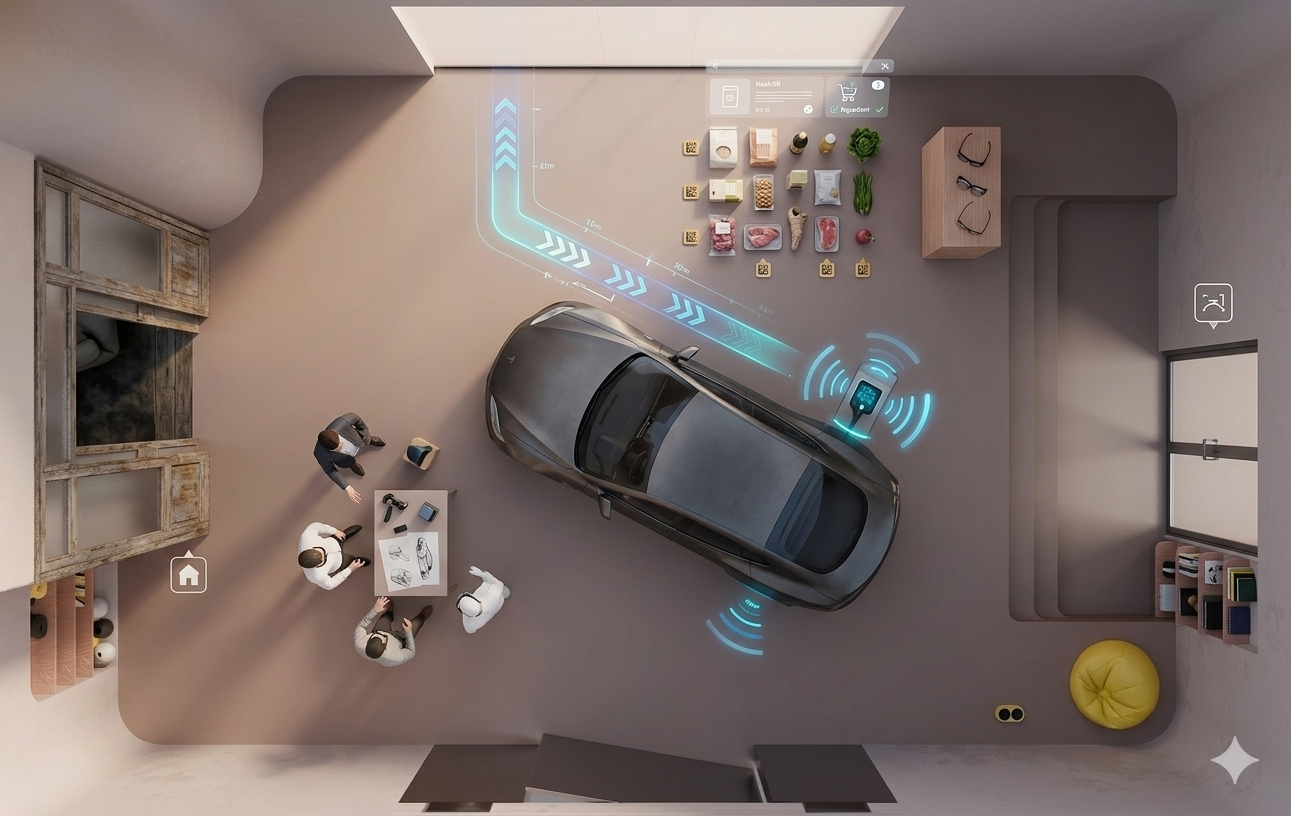
  • Charging overlays show time, flow, and completion at the port.
  • Identity cues and greetings make entry feel personal and instant.
Signature concept

Route guidance should feel like a painted path instead of a list of turns. As exits approach, the path fades toward the correct lane, removing the need for verbal prompts and constant distance checks.

Video highlights

  • Charging in real time: AR overlays make charge status, progress, and session details visible without app switching.
  • Navigation guidance: ambient route overlays keep attention on the road while clarifying upcoming turns.
  • Car key recognition: proximity + identity overlays reduce friction in unlocking and startup.
  • Autopilot status: AR cues make driver-assist state legible at a glance.
  • Traffic light visualization: contextual safety layers highlight signals and crossings in complex intersections.

Where this went next

  • Follow the {Yellow} Brick Road became the signature navigation narrative.
  • Interior AR experiments informed tactile UI concepts for other vehicle systems.
  • Exterior charging overlays fed into broader EV onboarding and service concepts.

Watch highlights

TeslAR Charging (LinkedIn)TeslAR Navigation (LinkedIn)TeslAR Car Key (LinkedIn)TeslAR Autopilot Status (LinkedIn)TeslAR Traffic Light Overlays (LinkedIn)

Related concepts

Follow the Yellow Brick Road
LinkedIn HighlightsTeslAR Charging (LinkedIn)TeslAR Navigation (LinkedIn)TeslAR Car Key (LinkedIn)TeslAR Autopilot Status (LinkedIn)TeslAR Traffic Light Overlays (LinkedIn)Behance Portfolio